Open up your company card statement and count the SaaS charges. Project tool here, CRM there, an invoicing app, a live chat widget, an e-signature subscription, an analytics upgrade you forgot you turned on. Each one feels small. Together they quietly become one of your biggest monthly bills.
Here’s the thing most “save money” posts skip: a lot of those tools have free, open-source operations software that does 80% of what you actually use. You host them yourself (or pay someone a few dollars a month to host them), and the per-seat fees disappear. You also own your data, which matters more than people realize until the day they try to export it.
I run a couple of these on my own server (n8n daily, DocuSeal here and there), and I’ve researched the rest while building out my own setup. So I’ll be straight about which ones I’ve actually used and which are on my radar. No fake “I tested all seven for 90 days” claims.
One honest warning before we start: open source is not really “free.” You trade the monthly fee for setup time, hosting, updates, and the occasional “why did this break” evening. If you’re comfortable with that trade (or you have a VPS already), the savings are real. If you’re not, the managed version of these same tools is usually still cheaper than the big-name competitor. I’ll flag the catch on each one.
1. n8n (replaces Zapier or Make)
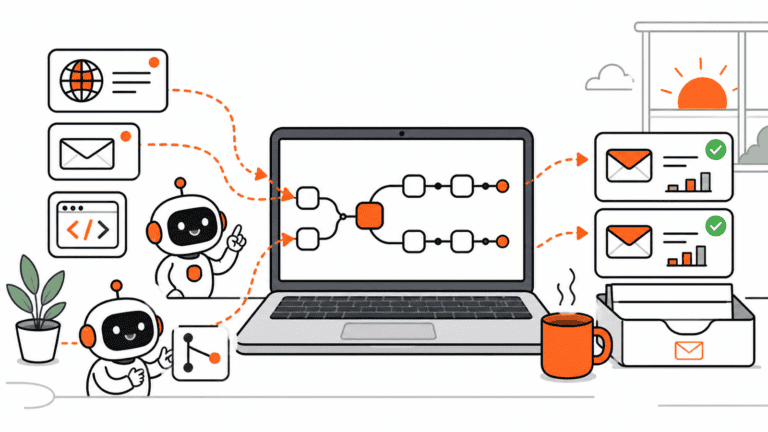
What it does: Connects your apps and automates the boring stuff. Pull a form submission, drop it in a spreadsheet, send a Slack ping, fire off an email. n8n does it on a visual canvas with conditional logic, loops, and 400-plus app connections.
Usage: I run this one daily. It’s the tool I’d keep if I had to drop everything else.
Zapier and Make charge by the task, so a busy automation can get expensive fast. n8n’s self-hosted version skips per-task pricing entirely. You pay for your server, not your volume. It also has AI nodes now, so you can wire in something like Claude for operations work into a workflow without much fuss.
The catch: It’s free to self-host for personal and small commercial use, but the license isn’t a standard open-source one, so check the terms if you’re a bigger company. Setup takes a Docker command and a bit of patience.
2. Plane (replaces Jira or Asana)
What it does: Project and task management. Issues, sprints, cycles, a wiki, multiple views (list, board, calendar). It’s the modern-looking one in the open-source project space.
Usage: Researched, on my radar. Plane keeps coming up as the 2026 favorite for a reason.
The Community Edition supports full self-hosting with no user limits, which is the big draw. Asana and Jira start charging the moment your team grows, and the bill scales with every new person you add. Plane lets you add the whole team without watching a counter tick up.
The catch: Because it optimizes for fast, active collaboration, you lose some of the heavy process controls and formal reporting that bigger orgs lean on. For a small team, that’s usually a feature, not a bug. If you want something even simpler, Leantime is a lighter option built around lean planning (and designed to be friendly for ADHD-style workflows).
3. Twenty (replaces Salesforce or HubSpot)
What it does: A customer relationship manager. Contacts, companies, deals, pipelines, the usual. The difference is it looks like a product built this decade, not in 2008.
Usage: Researched. This is the open-source CRM I’d try first.
Twenty has picked up serious momentum (45,000-plus GitHub stars) and it’s free when you self-host. Salesforce and HubSpot are powerful, but most small teams use a fraction of the features while paying full freight per seat. For a 10-person team, a self-hosted CRM can cut costs by 80% or more over a few years.
The catch: A polished native mobile app is still a gap across most open-source CRMs, including this one. If you want something even easier to stand up without much Docker experience, EspoCRM is the no-fuss pick.
4. Invoice Ninja (replaces FreshBooks or QuickBooks invoicing)
What it does: Creates and sends invoices and estimates, generates PDFs, handles recurring billing, and plugs into multiple payment gateways so clients can pay online.
Usage: Researched. Strong fit for freelancers and small service businesses.
If invoicing is the main thing you pay QuickBooks or FreshBooks for, this covers it without the monthly subscription. You can self-host it for free, or white-label the hosted version for a small yearly fee if you’d rather not run a server.
The catch: It’s invoicing-first, not full accounting. If you need deep bookkeeping, tax handling, and financial reports all in one place, look at a fuller suite like ERPNext or Odoo’s community edition instead.
5. Chatwoot (replaces Intercom or Zendesk)
What it does: Customer support and live chat in one inbox. It pulls messages from your website widget, email, WhatsApp, social channels, and more into a single place your team can answer from.
Usage: Researched. The clear front-runner for an open-source Intercom replacement.
Intercom and Zendesk pricing climbs quickly as your support volume and team grow. Chatwoot is self-hostable, so you keep customer conversations on your own infrastructure, and it has AI features to auto-draft replies and sort conversations.
The catch: Self-hosting a real-time chat tool is a bit more involved than a static app, so budget extra setup time. There’s a managed cloud plan if you’d rather skip that part.
6. DocuSeal (replaces DocuSign)
What it does: Sends documents out for legally binding e-signatures. A step-by-step signing form, templates, an API, and the ability to embed signing right into your own site.
Usage: I’ve actually used this one. It does the job and the signing flow is clean.
DocuSign charges per user and caps how many documents you can send on cheaper plans. DocuSeal removes both limits when you self-host. It complies with the usual e-signature standards (ESIGN Act, UETA, eIDAS), so signatures hold up.
The catch: Compliance is on you when you self-host, so if you’re in a heavily regulated field, do your homework. If design matters a lot to you, Documenso is the prettier, more modern-feeling alternative in the same space, and it’s worth a look.
7. Matomo (replaces Google Analytics paid tiers and tools like Mixpanel)
What it does: Website analytics. Visitors, sources, behavior, conversions. The same kind of insight you’d get from a paid analytics platform, except the data lives on your servers.
Usage: Researched, and the one I’m most likely to add next. I currently run standard Google Analytics, but the privacy angle here is tempting.
Matomo is the go-to open-source alternative to Google Analytics, and self-hosting means you’re not handing visitor data to a third party or paying for higher-tier features. That privacy ownership is a real selling point if your audience cares where their data goes.
The catch: You’re responsible for hosting and keeping it updated, and high-traffic sites need a bit more server muscle than a small blog does. There’s a paid cloud version if you want the data ownership without the maintenance.
So should you actually do this?
Be honest with yourself about the trade. Every tool here saves you a subscription and hands you your data back. In exchange, you become the IT department. Setup, hosting, backups, updates, the occasional broken thing.
If you already run a server (or you’re the kind of person who enjoys this stuff), the math is easy and the savings stack up fast across a few tools. If you don’t, start with one. Pick the single SaaS bill that annoys you most, replace it, and see how the upkeep feels before you move the rest.
My suggestion: start with n8n if you do anything repetitive, or DocuSeal if you send a lot of documents for signing. Both deliver an obvious win quickly, and they’re a low-stress way to find out whether self-hosting is your thing before you go all in.
Whatever you pick, you’ve got real options now. “Free spreadsheet or pay $100 a seat” stopped being the only choice a while ago.