Claude Tag Slack is the new way to bring Claude into a selected Slack channel. But before you let it roam around every project conversation, start with one small job: turn a messy handoff thread into a clean follow-up brief.
For a first Claude Tag Slack test, keep the request small, human-reviewable, and limited to one channel.
That is the most believable first use for a tool like this. No grand promise to replace your operations team. Just fewer “who owns this?” messages the next morning.
Anthropic introduced Claude Tag on June 23, 2026 as a beta feature for Claude Team and Enterprise customers. In a channel where an administrator has granted access, a teammate can tag @Claude with a task. Claude can use the context of that channel and the tools it has been connected to, then return its work in the thread. Read Anthropic’s announcement.
How Claude Tag Slack works, in plain English
Think of Claude Tag Slack as a shared teammate inside selected Slack channels, not a personal chatbot with access to everything.
It is designed to be:
- Shared: people in the channel can see what Claude is doing and continue the same thread.
- Scoped: administrators decide which channels, data sources, and tools each Claude identity can use.
- Asynchronous: you can hand it a task and get on with work while it completes it.
That last part is the interesting bit for operations. The work does not have to finish while you stare at a chat window.
The first Claude Tag Slack workflow: handoff cleanup
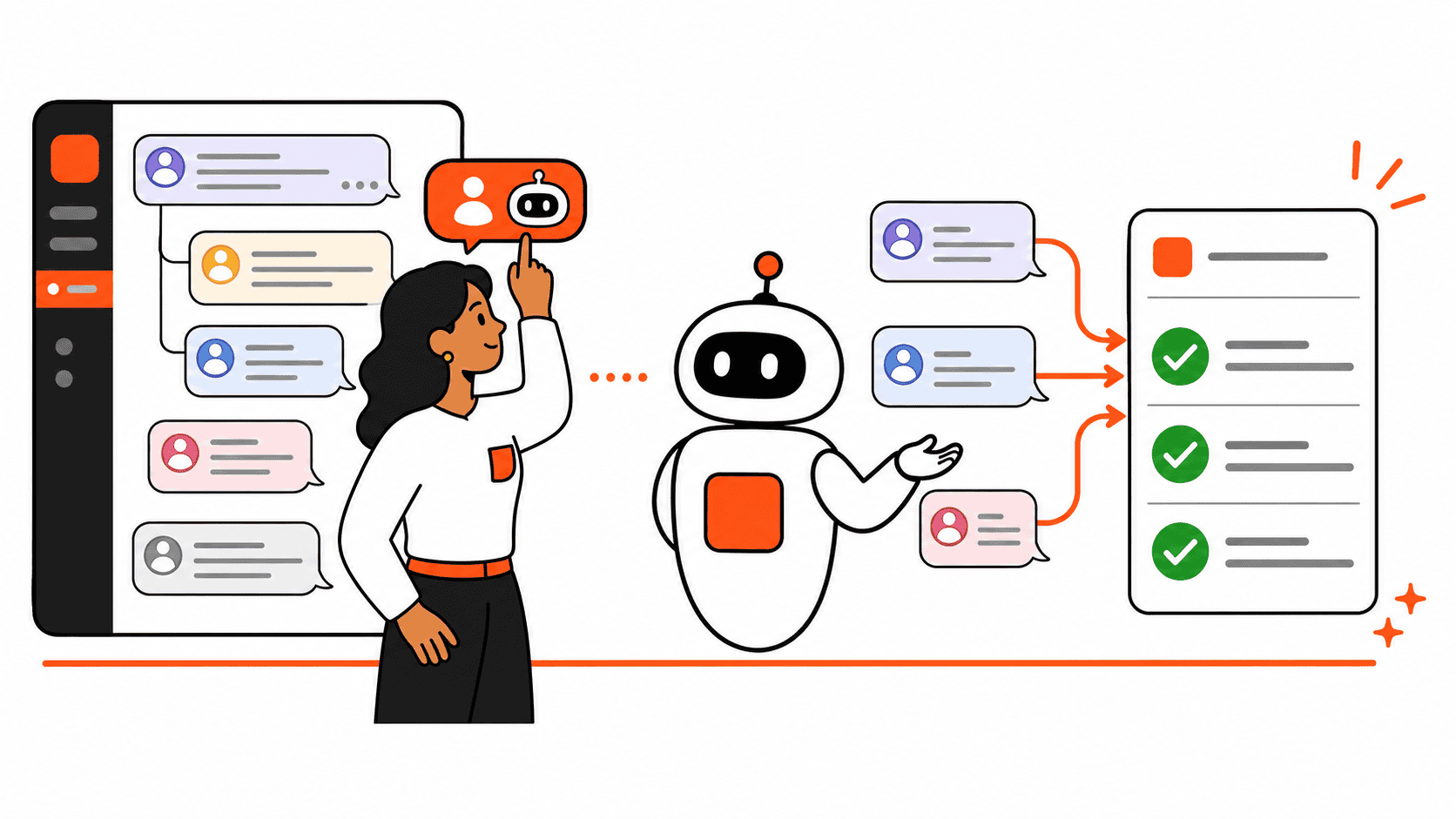
Picture a normal customer or project handoff thread. Someone mentions a deadline. Another person says the client needs an update. A third person adds a file. By the end, you have seven messages, two assumptions, and no actual owner.
Instead of trying to remember it all, tag Claude with a narrow request:
@Claude Turn this thread into a follow-up brief. List the decision, open questions, owner for each next step, and the next deadline. Do not invent anything. Put unclear items under “Needs confirmation.”
The output you want is not a polished essay. It is a small operating document you can verify in 30 seconds:
- Decision made: what the team actually agreed
- Next actions: one owner and one due date per action, when stated
- Needs confirmation: anything implied but not clearly assigned
- Source thread: the Slack conversation everyone can check
This is exactly the kind of admin drag where AI can help without pretending it has authority. It organizes what the team said. The human still checks the facts and assigns the work.
Set it up like you do not trust it yet
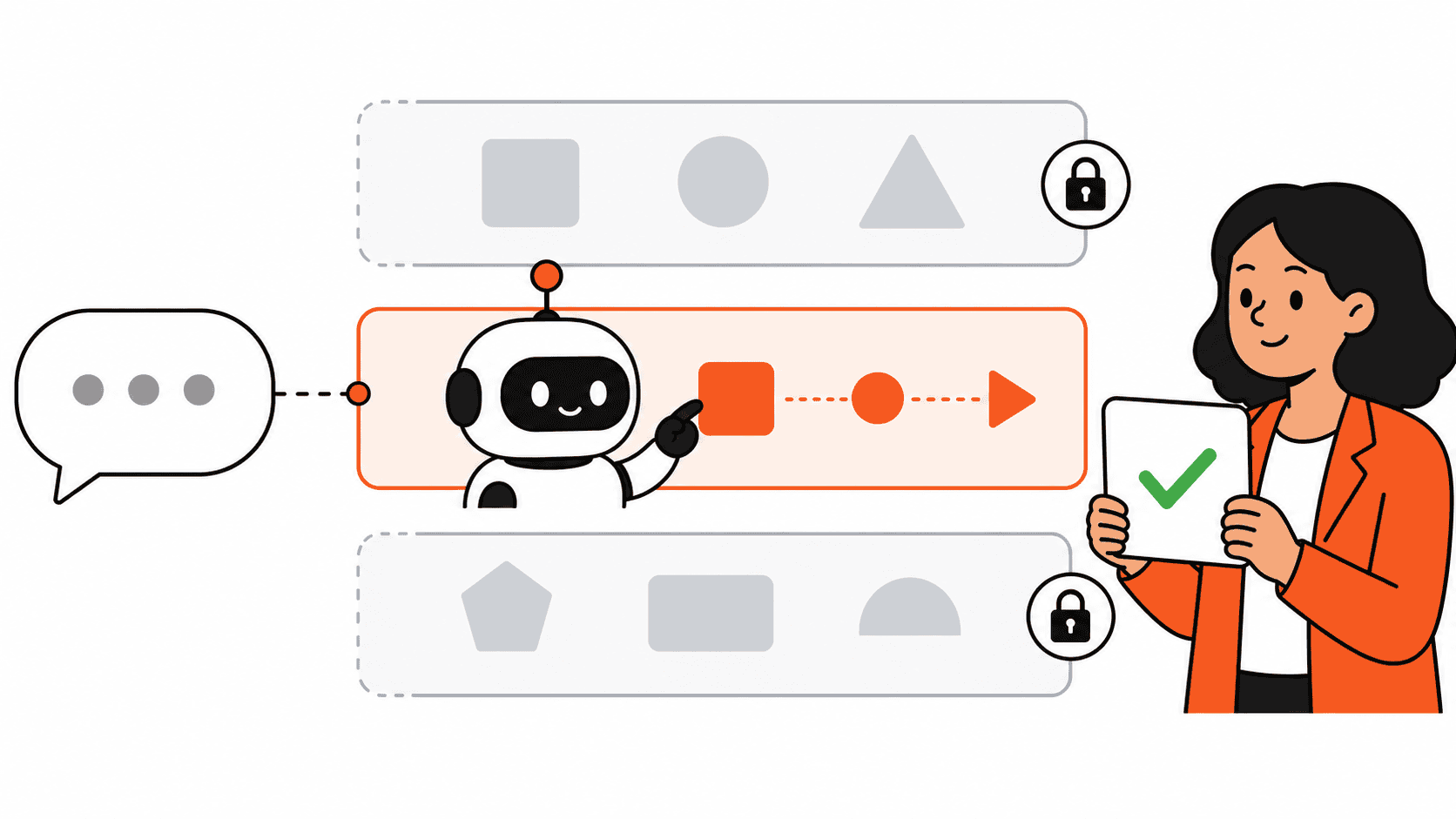
That is not a criticism. It is the sensible way to start.
1. Make a private pilot channel
Create a channel for one repeatable workflow, such as project handoffs, weekly support triage, or marketing approvals. Do not start in your company-wide channel.
2. Give Claude Tag Slack the smallest useful access
Claude Tag lets administrators scope access by channel, tools, and information. Start with Slack context only if that is enough. Add a connected tool later only when the workflow proves it needs one.
3. Use a fixed prompt
A repeatable prompt makes results easier to judge. Tell Claude what sections to return, what it must not invent, and what should be flagged for a human.
4. Review the output in the thread
Every result should be easy for someone else to audit against the source conversation. If a summary cannot be checked quickly, it is too vague to be useful.
What not to hand over on day one
Do not begin with customer records, contracts, payroll information, or a channel full of sensitive one-off conversations. Claude Tag has permission controls for a reason.
It also should not become the person who “owns” a decision. Let it summarize, find, draft, or chase a clearly defined task. Keep approvals, commitments, and customer-facing sends with a human.
This is the same practical line we use when using Claude in operations: let AI remove repetitive preparation work, then keep judgment close to the person accountable for the outcome.
Where it can grow from there
Once the handoff brief is reliable, a team could test other narrow tasks:
- Turn a support thread into a draft issue with reproduction steps.
- Summarize a weekly project channel into risks, blockers, and decisions.
- Find unanswered questions in a launch thread and put them in one checklist.
For workflows that need to move information between tools on a schedule, a dedicated automation tool can still be a better fit. Our n8n automation ideas post covers two small examples where a bot has a clear input, a clear output, and no need to interpret a long team conversation.
The useful question is not “Can Claude run Slack?”
The better question is: what small piece of work already happens in this channel, gets forgotten, and can be checked by a human afterward?
That is the work to hand Claude first.
Claude Tag is still in beta and currently available to Claude Team and Enterprise customers, so treat this as an early workflow to test, not a finished operating system. If it saves a team from one missed handoff each week, it has earned a second job.
Want more practical AI work ideas? Read 8 AI prompts for operations work for copy-paste starting points that keep a human in the loop.